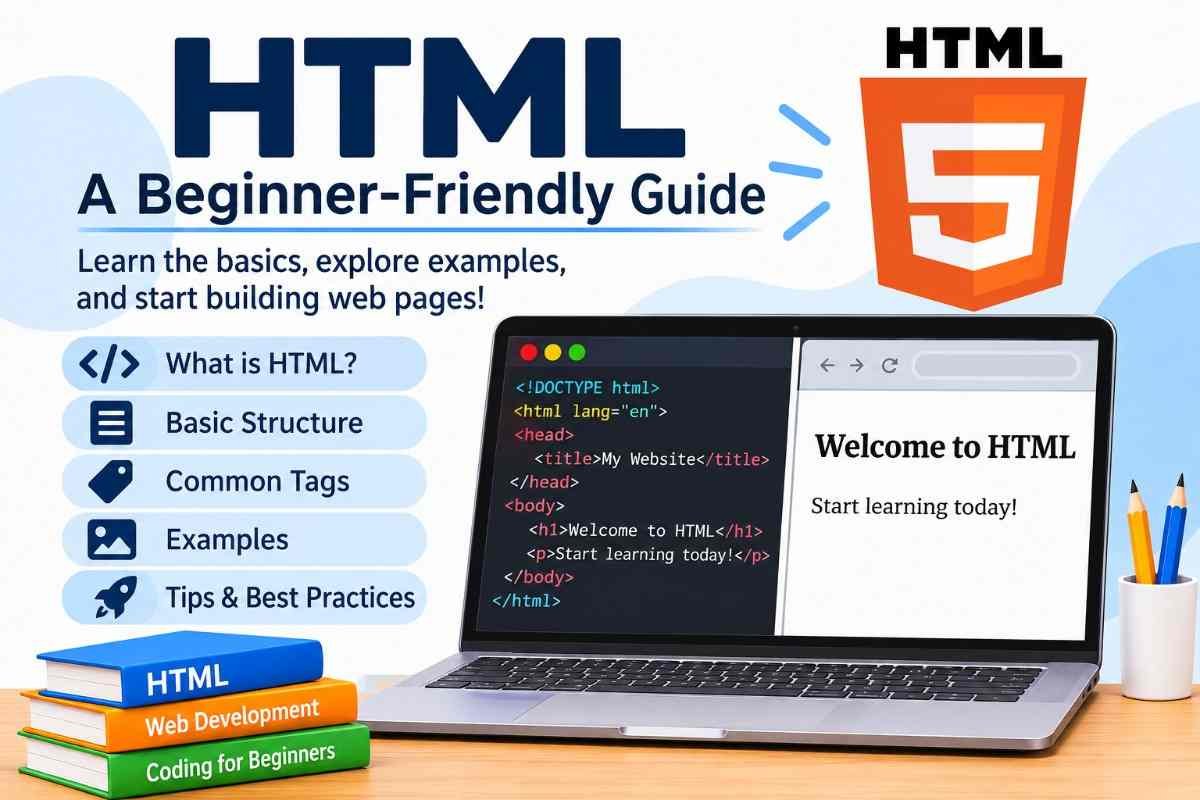
HTML (HyperText Markup Language) is the standard language used to create and structure web pages. It tells web browsers how to display different elements, such as headings, paragraphs, images, links, tables, lists, and forms. HTML is the foundation of almost every website and is one of the first subjects beginners learn when starting web development.
Whether you want to build a personal website, or understand how the internet works, learning HTML is an excellent starting point. The good news is that HTML is relatively easy to understand, even if you have never written a line of code before.
What Is HTML?
HTML stands for HyperText Markup Language. It is the standard markup language used to create and organize the content of web pages.
The word HTML has three important parts:
- HyperText: Text that contains links connecting one web page to another.
- Markup: Special tags used to organize and describe website content.
- Language: A set of rules and instructions that browsers understand.
In simple terms, HTML provides the basic structure of a website. It tells the browser which content is a heading, which part is a paragraph, where an image should appear, and which words should work as clickable links.
For example, when you visit an educational website, you might see a main heading, several paragraphs, images, tables, and navigation links. HTML helps organize all these elements into a structured web page.
Why Is HTML Important?
HTML plays an important role in web development because it provides the foundation on which websites are built. Without HTML, browsers would not have the same structured instructions for displaying headings, paragraphs, images, links, and other page content.
Here are some reasons why HTML is important:
- Website Structure: HTML organizes website content into meaningful sections, headings, paragraphs, and other elements.
- Easy Content Organization: It helps developers arrange text, images, videos, lists, and tables.
- Supports Hyperlinks: HTML allows users to navigate between different web pages through clickable links.
- Works with CSS: HTML provides the structure, while CSS controls colors, fonts, spacing, and visual design.
- Works with JavaScript: HTML provides elements that JavaScript can interact with to create dynamic website features.
- Improves Accessibility: Proper HTML elements help assistive technologies understand and communicate website content.
- Supports Search Engines: Meaningful headings, links, and semantic elements help search engines understand the structure and purpose of a page.
Features of HTML
HTML has several important features that make it the foundation of website development. It is easy to learn, supports multimedia, organizes website content, and works with other web technologies such as CSS and JavaScript.
Here are the main features of HTML:
- Easy to Learn and Use: HTML has simple tags and straightforward syntax, making it suitable for beginners and students.
- Platform Independent: HTML documents can be viewed on different operating systems and devices using compatible web browsers.
- Supports Hyperlinks: HTML allows users to connect different web pages and websites through clickable links.
- Supports Multimedia: HTML makes it possible to add images, audio, and videos to web pages.
- Provides Website Structure: HTML organizes content into headings, paragraphs, lists, tables, forms, and sections.
- Works with CSS: HTML can be combined with CSS to improve website design, colors, fonts, spacing, and layouts.
- Supports JavaScript: HTML works with JavaScript to create interactive and dynamic website features.
- Browser Compatibility: Modern web browsers support HTML, allowing users to access web pages across different platforms.
- Supports Forms: HTML provides form elements for collecting information through registration forms, contact forms, surveys, and feedback forms.
- Semantic Elements: HTML provides meaningful elements such as
<header>,<footer>,<article>, and<section>to organize website content. - Search Engine Friendly Structure: Proper headings, descriptive links, and semantic elements help search engines understand website content.
- Supports Tables and Lists: HTML allows developers to present information in organized tables and ordered or unordered lists.
- Free and Open Standard: HTML is an open web standard that can be used without purchasing a licence.
- Responsive Website Support: HTML works with responsive design techniques, including CSS media queries and viewport settings, to help websites adapt to different screen sizes.
- Easy Website Maintenance: Well-structured HTML makes website content easier to read, edit, update, and maintain.
How Does HTML Work?
HTML works by using elements and tags to describe the structure of website content. When someone opens a website, the browser reads its HTML document, interprets the elements, and displays the content on the screen.
For example, consider this simple HTML code:
<h1>Welcome to My Website</h1>
<p>This is my first web page.</p>
The browser understands that the first line is a main heading and the second line is a paragraph.
You do not need to tell the browser how to draw every letter or arrange every word manually. HTML provides the structure, and the browser handles its presentation according to its built-in rules and any additional styling.
Basic Structure of an HTML Document
Every beginner should understand the basic structure of an HTML document before moving on to more advanced topics.
Here is a simple example:
<!DOCTYPE html>
<html lang="en">
<head>
    <meta charset="UTF-8">
    <meta name="viewport" content="width=device-width, initial-scale=1.0">
    <title>My First Website</title>
</head>
<body>

    <h1>Welcome to HTML</h1>
    <p>This is my first HTML web page.</p>

</body>
</html>
Let’s understand what each part means.
1. DOCTYPE Declaration: The <!DOCTYPE html> declaration tells the browser to use the modern HTML document mode.
2. HTML Element: The <html> element is the root element that contains the entire HTML document.
3. Head Element: The <head> section contains information about the web page, including its title, character encoding, metadata, and links to resources.
4. Meta Charset: The <meta charset="UTF-8"> element specifies the character encoding used by the document.
5. Viewport Meta Tag: The viewport setting helps the page display properly on different screen sizes, including smartphones and tablets.
6. Title Element: The <title> element defines the title displayed in the browser tab.
7. Body Element: The <body> element contains the main content that visitors see on the web page.
Understanding these elements makes it easier to create your first website and learn more advanced HTML concepts.
What Are HTML Tags?
HTML tags are special keywords written inside angle brackets. They tell the browser how to identify and organize different types of content.
Most HTML elements have an opening tag and a closing tag.
For example:
<p>This is a paragraph.</p>In this example:
<p>is the opening tag.This is a paragraph.is the content.</p>is the closing tag.
The closing tag contains a forward slash before the tag name.
HTML also includes void elements, which do not have separate closing tags. Examples include <img>, <br>, and <hr>.
What Are HTML Elements?
An HTML element generally consists of an opening tag, content, and a closing tag. Together, these parts define a particular piece of website content.
For example:
<h2>Benefits of Learning HTML</h2>The complete heading, including its opening and closing tags, is called an HTML element.
Tags and elements are closely related, but they are not exactly the same. A tag marks the beginning or end of an element, while an element includes the tags and its content.
What Are HTML Attributes?
HTML attributes provide additional information about an element. They are written inside the opening tag and usually consist of an attribute name and a value.
For example:
<a href="https://example.com">Visit Website</a>In this example, href is an attribute that specifies the destination of the link.
Some commonly used HTML attributes include:
- href: Specifies the destination of a hyperlink.
- src: Specifies the location of an image or other embedded resource.
- alt: Provides alternative text for an image.
- class: Assigns a class name that can be used for styling or scripting.
- id: Provides a unique identifier for an element within a document.
- style: Adds inline CSS styling to an element.
- title: Provides additional advisory information about an element.
Attributes make HTML elements more useful by adding information about how they should work.
Common HTML Tags Every Beginner Should Know
HTML contains many tags, but beginners should first understand the elements used most frequently when creating websites.
| HTML Tag | Purpose |
|---|---|
<html> | Defines the root of an HTML document |
<head> | Contains document information and metadata |
<title> | Defines the browser tab title |
<body> | Contains visible page content |
<h1> to <h6> | Define headings |
<p> | Creates a paragraph |
<br> | Inserts a line break |
<hr> | Creates a thematic break |
<a> | Creates a hyperlink |
<img> | Displays an image |
<ul> | Creates an unordered list |
<ol> | Creates an ordered list |
<li> | Defines a list item |
<table> | Creates a table |
<tr> | Defines a table row |
<th> | Defines a table header cell |
<td> | Defines a table data cell |
<div> | Creates a generic block container |
<span> | Creates a generic inline container |
<form> | Creates a form |
<input> | Creates an input control |
<button> | Creates a clickable button |
Learning these tags will help you understand the structure of most basic websites.
Different Types of HTML Tags
HTML tags can be understood through different categories based on their purpose and behavior.
1. Paired Tags
Paired tags generally contain an opening tag and a closing tag, with content between them.
Example:
<p>Learning HTML is easy.</p>
<h1>My First Website</h1>
2. Void Elements
Void elements do not have closing tags or contain child content.
Examples:
<img src="flower.jpg" alt="A beautiful flower">

<br>

<hr>
3. Block-Level Elements
Block-level elements generally begin on a new line and occupy the available horizontal space in their containing block.
Examples include:
<div>
<p>
<h1>
<section>
<article>
4. Inline Elements
Inline elements generally flow within the surrounding text rather than starting a new line.
Examples include:
<a>
<span>
<strong>
<em>
Understanding these categories helps beginners organize website content correctly.
Types of Headings in HTML
HTML provides six heading levels, from <h1> to <h6>. They help organize content into a clear hierarchy.
For example:
<h1>Introduction to HTML</h1>

<h2>What Is HTML?</h2>

<h3>HTML Elements</h3>

<h4>HTML Tags</h4>

<h5>Basic Tags</h5>

<h6>Additional Information</h6>
The <h1> element represents the highest heading level, while <h6> represents the lowest.
Headings are useful for organizing articles, educational lessons, tutorials, and website pages. They also help readers and assistive technologies understand how the content is structured.
How to Create Paragraphs in HTML
The <p> tag is used to create paragraphs. It is one of the most frequently used HTML elements because most websites contain written information.
Example:
<p>
HTML is the standard markup language used to
structure web pages and organize website content.
</p>

<p>
It is an important starting point for anyone
interested in learning web development.
</p>
Each paragraph is placed inside its own opening and closing <p> tags.
How to Add Links in HTML
Links allow visitors to move from one page to another. They are created using the <a> element.
Example:
<a href="https://www.google.com">Visit Google</a>Here, the href attribute specifies where the link should take the visitor.
You can also open a link in a new browsing tab:
<a href="https://www.google.com" target="_blank" rel="noopener">
Visit Google
</a>
Links are essential for website navigation, connecting educational resources, and sharing useful information.
How to Add Images in HTML
Images make website content more interesting and help explain information visually.
The <img> element is used to display images on a web page.
Example:
<img src="nature.jpg" alt="Green trees and a beautiful landscape">Here:
imgis the image element.srcspecifies the image file location.altprovides alternative text describing the image.
Adding meaningful alternative text is important because it helps people using screen readers understand the purpose of an image.
How to Create Lists in HTML
HTML supports different types of lists that help organize information.
1. Unordered List
An unordered list displays items with bullet points.
<ul>
    <li>HTML</li>
    <li>CSS</li>
    <li>JavaScript</li>
</ul>
2. Ordered List
An ordered list displays items in a numbered sequence.
<ol>
    <li>Open a text editor.</li>
    <li>Write HTML code.</li>
    <li>Save the file.</li>
    <li>Open it in a browser.</li>
</ol>
3. Description List
A description list is used to display terms and their descriptions.
<dl>
    <dt>HTML</dt>
    <dd>A markup language used to structure web pages.</dd>

    <dt>CSS</dt>
    <dd>A language used to style web pages.</dd>
</dl>
These lists are useful for educational notes, tutorials, instructions, and website content.
How to Create Tables in HTML
HTML tables are used to display information in rows and columns. They are particularly useful for presenting structured data.
Example:
<table border="1">
    <tr>
        <th>Subject</th>
        <th>Purpose</th>
    </tr>

    <tr>
        <td>HTML</td>
        <td>Structures web pages</td>
    </tr>

    <tr>
        <td>CSS</td>
        <td>Styles web pages</td>
    </tr>

    <tr>
        <td>JavaScript</td>
        <td>Adds interactivity</td>
    </tr>
</table>
In this example, <table> creates the table, <tr> creates rows, <th> defines heading cells, and <td> defines regular data cells.
For modern websites, CSS is generally preferred for styling tables rather than relying on the old border attribute.
What Is Semantic HTML?
Semantic HTML means using HTML elements that clearly describe the meaning and purpose of their content.
For example, instead of using generic containers for every part of a website, developers can use meaningful elements such as:
<header>for introductory content or a page header.<nav>for navigation links.<main>for the main content of a page.<section>for a thematic section of content.<article>for independent, self-contained content.<aside>for related or supplementary information.<footer>for footer information.
Semantic HTML makes website code easier to understand and maintain. It also helps assistive technologies interpret the page structure and provides useful context to search engines.
Difference Between HTML, CSS, and JavaScript
HTML, CSS, and JavaScript are three important technologies used in modern web development. Although they work together, each has a different purpose.
| Technology | Full Form | Main Purpose |
|---|---|---|
| HTML | HyperText Markup Language | Structures website content |
| CSS | Cascading Style Sheets | Controls website appearance |
| JavaScript | JavaScript | Adds interactivity and dynamic functionality |
Think of a website as a house.
HTML is the structure of the house, including its walls, rooms, and doors. CSS is the interior design, including colors, furniture, and decoration. JavaScript adds interactive features, such as automatic doors, smart lighting, and other functions.
Learning these three technologies provides a strong foundation for becoming a web developer.
What Are the Uses of HTML?
HTML is used in many areas of website development and online communication.
- Website Development: HTML creates the basic structure of personal websites, business websites, and professional platforms.
- Blog Creation: It organizes blog posts into headings, paragraphs, images, links, and other content.
- Online Learning Platforms: Educational websites use HTML to display lessons, instructions, study materials, and learning resources.
- E-Commerce Websites: HTML helps structure product descriptions, images, prices, and shopping forms.
- Web Forms: It creates registration forms, contact forms, feedback forms, and other input areas.
- Email Templates: HTML is commonly used to structure formatted email content.
- Web Applications: HTML provides the document structure that CSS and JavaScript can enhance.
- Documentation: It organizes technical guides, tutorials, and online reference materials.
Advantages of Learning HTML
Learning HTML offers several advantages, especially for students, beginners, and people interested in technology.
- Easy to Learn: HTML has a relatively simple syntax and is suitable for beginners.
- Beginner-Friendly: You can start learning HTML without previous programming experience.
- Free to Use: You can write HTML using free text editors and view your work in a web browser.
- Useful Career Skill: HTML knowledge is valuable for aspiring web developers, designers, and digital professionals.
- Foundation for Web Development: It provides the basic knowledge needed before learning more advanced web technologies.
- Easy Website Editing: Understanding HTML makes it easier to update and manage website content.
- Cross-Browser Support: Modern browsers support HTML, allowing websites to display across different platforms.
- Supports Accessibility: Correctly structured HTML helps make web content more accessible.
Limitations of HTML
Although HTML is essential for web development, it has some limitations.
- Limited Visual Styling: HTML alone does not provide the advanced design and styling features available through CSS.
- No Programming Logic: HTML is a markup language, not a programming language, so it does not independently perform complex calculations or programming tasks.
- Limited Interactivity: Advanced interactive features generally require JavaScript or other technologies.
- Static Content by Itself: HTML alone does not manage databases, user accounts, or server-side operations.
- Browser Differences: Some features may behave differently across browsers, so testing is important.
These limitations do not make HTML less useful. Instead, they explain why web developers combine HTML with CSS, JavaScript, and other technologies.
How to Create Your First HTML Web Page
One of the best ways to learn HTML is by writing your own code. You do not need expensive software or a powerful computer to begin.
Follow these simple steps:
Step 1: Open a Text Editor
Open a basic text editor such as Notepad on Windows. You can also use a code editor such as Visual Studio Code.
Step 2: Write Your First HTML Code
Copy the following example into your text editor:
<!DOCTYPE html>
<html lang="en">
<head>
    <meta charset="UTF-8">
    <meta name="viewport" content="width=device-width, initial-scale=1.0">
    <title>My First Web Page</title>
</head>
<body>

    <h1>Welcome to My Website</h1>

    <p>
        Hello! I am learning HTML.
        This is my first web page.
    </p>

    <h2>My Favourite Subjects</h2>

    <ul>
        <li>Science</li>
        <li>Mathematics</li>
        <li>Computer Studies</li>
    </ul>

    <a href="https://www.google.com">Visit Google</a>

</body>
</html>
Step 3: Save the File
Save your file with the name index.html. Make sure it has the .html extension.
Step 4: Open the File in a Browser
Find the saved file on your computer and double-click it. It should open in your default web browser.
Step 5: Make Changes and Practice
Return to your text editor, change the heading or paragraph, save the file, and refresh the browser.
You will see your changes immediately. This simple exercise helps you understand how HTML code becomes a visible web page.
Common HTML Mistakes Beginners Should Avoid
When learning HTML, beginners sometimes make small mistakes that affect how a web page works. Understanding these errors early can help you write cleaner code.
- Missing Closing Tags: Forgetting to close elements such as paragraphs can cause unexpected document structures.
- Incorrect Nesting: HTML elements should be nested properly rather than overlapping.
- Missing Image Alt Text: Images should have appropriate alternative text when they convey meaningful information.
- Incorrect File Extensions: Saving an HTML document with the wrong extension can make it difficult to open correctly.
- Using the Wrong Heading Order: Headings should follow a logical content hierarchy.
- Incorrect Attribute Values: Typing an incorrect image path or hyperlink destination can prevent the resource from working.
- Using HTML for Everything: HTML should structure content, while CSS and JavaScript should handle styling and interactive behavior where appropriate.
Is HTML Easy to Learn?
Yes, HTML is generally considered one of the easiest web development technologies for beginners to learn.
Its basic tags are straightforward, and you can see the results of your work directly in a browser. You can begin by learning headings, paragraphs, links, images, and lists before moving on to tables, forms, and semantic elements.
However, becoming confident in HTML takes regular practice. Understanding how elements work together is just as important as memorizing their names.
How Long Does It Take to Learn HTML?
The time required to learn HTML depends on your learning schedule, practice habits, and goals.
A beginner may understand the basic tags and document structure within a few days. Learning more advanced topics, such as semantic HTML, forms, accessibility, and complex page structures, requires additional practice.
The best approach is to learn one concept at a time and create small web pages as you progress.
What Should You Learn After HTML?
After understanding HTML, you can move on to other web development technologies.
1. CSS: Learn CSS to control website colors, layouts, fonts, spacing, and responsive design.
2. JavaScript: Learn JavaScript to create interactive features, animations, menus, and dynamic website behavior.
3. Responsive Web Design: Understand how to make websites work properly on mobile phones, tablets, and desktop computers.
4. Git and GitHub: Learn how to track code changes and manage development projects.
5. Basic Web Development Concepts: Explore web hosting, domain names, browsers, servers, and how websites work online.
Following this learning path will help you gradually move from basic HTML knowledge toward building complete websites.
FAQ’s
What is HTML used for?
HTML is used to create and structure web pages. It helps organize website content, including headings, paragraphs, images, hyperlinks, tables, lists, and forms.
How can I learn HTML?
You can learn HTML by studying basic tags, elements, attributes, headings, paragraphs, links, images, and lists. Practice writing code using a text editor such as Notepad or Visual Studio Code and view your results in a web browser.
What is the main role of HTML?
The main role of HTML is to provide structure and meaning to website content. It tells web browsers how different elements, such as headings, paragraphs, images, and links, should be organized on a web page.
Who invented HTML?
HTML was invented by Tim Berners-Lee in 1991 while working at CERN. He developed it to help researchers share and access information through interconnected documents on the World Wide Web.
How do I use HTML?
To use HTML, open a text editor, write HTML code, and save the file with an .html extension. Then open the saved file in a web browser to view your web page. You can edit the code and refresh the browser to see your changes.
Is HTML a programming language?
No, HTML is a markup language, not a programming language. It structures website content but does not independently provide programming logic like JavaScript.
What is the main purpose of HTML?
The main purpose of HTML is to structure web page content, including headings, paragraphs, images, links, lists, tables, and forms.
Is HTML easy for beginners?
Yes, HTML is beginner-friendly because its syntax is relatively simple. People can start learning it without previous programming knowledge.
What software is needed to write HTML?
You can write HTML using a basic text editor such as Notepad or a code editor such as Visual Studio Code. A modern web browser is needed to view the result.
What is the difference between HTML and HTML5?
HTML5 refers to the major HTML revision introduced in 2014, which brought features such as semantic elements and native audio and video support. Today, HTML is maintained as a continuously evolving Living Standard rather than as a separate version that developers need to select.
Can I create a website using only HTML?
Yes, you can create a basic website using only HTML. However, CSS is generally needed for advanced visual styling, while JavaScript is used for more complex interactive features.
What is the difference between HTML and CSS?
HTML organizes and structures website content, whereas CSS controls its visual appearance, including colors, fonts, layouts, and spacing.
Sources and References:
Disclaimer:
This article is intended for educational purposes and provides introductory information about HTML. Technical standards and browser features may evolve over time. Refer to official documentation for the latest specifications.
Also Read: