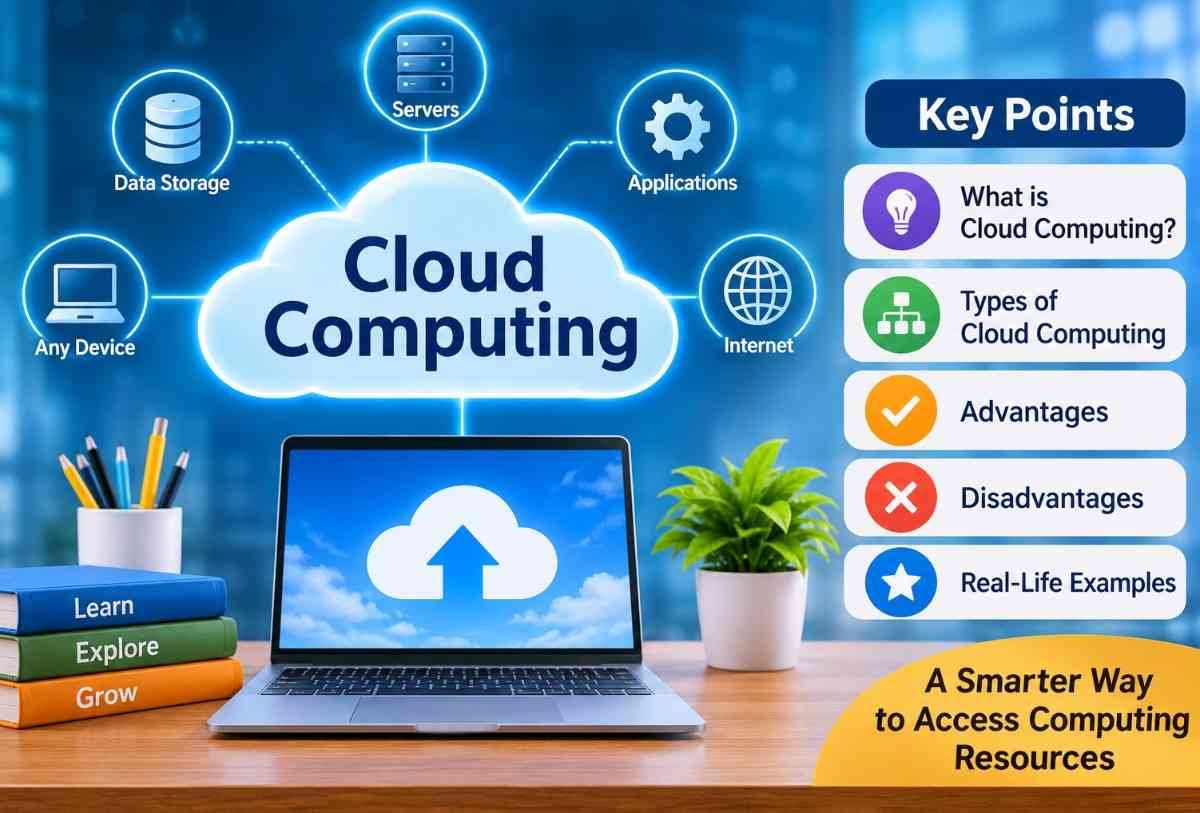
Cloud computing is one of the most important technologies shaping the modern digital world. It allows people, businesses, schools, and organizations to store data, run applications, and access computing services over the internet without depending entirely on their own computers or physical servers.
From saving photos on Google Drive to attending online classes, streaming videos, and using business software, cloud computing has become part of everyday life.
Understanding cloud computing is an important educational topic for students because it explains how modern websites, mobile applications, online storage, and digital services work.
In this guide, we will explore what cloud computing is, how it works, its different types, real-life examples, advantages, disadvantages, and future possibilities in simple language.
What Is Cloud Computing?
Cloud computing is the delivery of computing services over the internet. These services include data storage, databases, networking, software, servers, and processing power.
Instead of storing everything on a personal computer or maintaining physical servers, users can access computing resources through cloud service providers.
For example, when you upload a photograph to Google Photos, save a document in Google Drive, or use an online application, your information or application may be stored and processed using cloud infrastructure.
In simple words, cloud computing means using internet-based computing resources instead of relying only on your own computer or physical storage devices.
How Does Cloud Computing Work?
Cloud computing works through a network of remote servers connected to the internet. These servers are maintained by cloud service providers in specialized data centers.
When someone uses a cloud-based application or service, their device sends a request through the internet. The cloud server processes that request and sends the required information back to the device.
For example, imagine that a student wants to open a school assignment saved in Google Drive.
The process generally works as follows:
- User Request: The student opens Google Drive on a laptop or smartphone.
- Internet Connection: The device connects to the cloud service through the internet.
- Server Communication: The request reaches the cloud provider’s servers.
- Data Processing: The server locates the requested document and processes the request.
- Data Delivery: The document appears on the student’s device.
- Saving Changes: When the student edits and saves the document, the updated information is stored in the cloud.
This process allows students, teachers, employees, and other users to access their information from different locations and devices.
Main Characteristics of Cloud Computing
Cloud computing has several important characteristics that make it different from traditional computing.
1. On-Demand Self-Service: Users can access computing resources, such as storage and processing power, whenever they need them without requiring direct assistance from the service provider.
2. Broad Network Access: Cloud services can be accessed through internet-connected devices, including computers, smartphones, tablets, and laptops.
3. Resource Pooling: Cloud providers share computing resources among multiple customers while keeping their information and workloads logically separated.
4. Rapid Elasticity: Cloud resources can be increased or decreased according to changing requirements. For example, an online shopping website can use additional computing resources during a major sale.
5. Measured Service: Cloud usage can be monitored and measured. Many cloud services charge customers according to the resources they consume.
These five characteristics are identified in the National Institute of Standards and Technology (NIST) definition of cloud computing.
Types of Cloud Computing
Cloud computing is commonly divided into two major categories: service models and deployment models. Each category explains a different aspect of cloud technology.
1. Cloud Computing Service Models
There are three main cloud computing service models: IaaS, PaaS, and SaaS.
A. Infrastructure as a Service (IaaS)
Infrastructure as a Service provides basic computing resources over the internet, such as virtual servers, storage, and networking.
Users can rent these resources instead of purchasing and maintaining expensive physical hardware.
For example, a business can rent virtual servers to host its website without building its own data center.
Examples include:
- Amazon Web Services (AWS)
- Microsoft Azure
- Google Cloud Infrastructure
B. Platform as a Service (PaaS)
Platform as a Service provides an online environment where developers can build, test, run, and manage applications.
It reduces the need for developers to manage the underlying servers, operating systems, and infrastructure.
For example, a software developer can use a cloud platform to create a mobile application without maintaining their own physical server.
Examples include:
- Google App Engine
- Microsoft Azure App Service
- Heroku
C. Software as a Service (SaaS)
Software as a Service provides ready-to-use software applications over the internet. Users generally do not need to install or maintain the underlying software infrastructure.
They can access these applications through a web browser or dedicated application.
For example, students can use Google Docs to prepare assignments, while businesses can use online software to manage their daily activities.
Examples include:
- Google Workspace
- Microsoft 365
- Dropbox
- Salesforce
Difference Between IaaS, PaaS, and SaaS
| Feature | IaaS | PaaS | SaaS |
|---|---|---|---|
| Full form | Infrastructure as a Service | Platform as a Service | Software as a Service |
| Main purpose | Provides computing infrastructure | Provides an application development platform | Provides ready-to-use software |
| Main users | IT administrators | Software developers | General users |
| Management | More user control and responsibility | Provider manages underlying infrastructure | Provider manages the application and infrastructure |
| Example | Amazon EC2 | Google App Engine | Google Docs |
2. Cloud Computing Deployment Models
Cloud deployment models describe how cloud infrastructure is owned, managed, and made available to users.
There are four commonly recognized deployment models.
A. Public Cloud
A public cloud is a cloud computing environment operated by a third-party service provider and made available to multiple customers over the internet.
Users share the provider’s underlying infrastructure while their data and workloads are logically separated.
Examples:
- Amazon Web Services
- Microsoft Azure
- Google Cloud
B. Private Cloud
A private cloud is designed for the exclusive use of a single organization.
It provides greater control over infrastructure, access, and data management. It may be hosted within the organization’s own facilities or managed by an external provider.
For example, a large financial organization may use a private cloud to manage sensitive business information.
C. Hybrid Cloud
A hybrid cloud combines two or more different cloud environments, such as public and private clouds, that remain separate but work together.
For example, a company may store sensitive information in a private cloud while using public cloud services to host its website.
D. Community Cloud
A community cloud is shared by several organizations that have similar requirements, such as security policies, regulatory needs, or business objectives.
For example, several educational institutions may share a cloud environment to support common academic and administrative services.
Real-Life Examples of Cloud Computing
Cloud computing is already used in many everyday activities. Some common examples include:
1. Google Drive: Google Drive allows users to store documents, photographs, videos, and other files online and access them from different devices.
2. Google Photos: Users can back up and access their photographs and videos through an online storage service.
3. Gmail: Gmail provides email services through Google’s cloud-based infrastructure.
4. Microsoft 365: Users can create, edit, and collaborate on documents using online productivity applications.
5. Dropbox: Dropbox provides cloud-based file storage, synchronization, and sharing services.
6. Netflix: Netflix uses cloud infrastructure and other internet technologies to support its streaming platform and deliver entertainment to users.
7. Online Banking: Many financial institutions use cloud-related technologies and remote computing infrastructure to support digital services and applications.
8. Online Education Platforms: Educational platforms use cloud services to provide online lessons, learning materials, digital classrooms, and student resources.
Uses of Cloud Computing
Cloud computing is useful in different industries because it provides flexible access to computing resources.
1. Education: Schools, colleges, and universities use cloud services to share study materials, conduct online classes, store assignments, and support digital learning.
2. Healthcare: Healthcare organizations can use cloud-based systems to manage information, support communication, and provide access to authorized digital services.
3. Banking and Finance: Financial organizations use cloud technologies for data processing, digital services, analytics, and application development.
4. Business Management: Businesses use cloud applications for accounting, customer management, employee communication, and document storage.
5. Entertainment: Streaming platforms use cloud infrastructure to support online music, movies, television programs, and other digital content.
6. Data Storage: Individuals and organizations use cloud storage to keep files online and access them whenever needed.
7. Software Development: Developers use cloud platforms to build, test, and deploy websites, applications, and other software products.
8. E-Commerce: Online shopping platforms use cloud computing to support product catalogs, customer accounts, payments, and website operations.
9. Artificial Intelligence: Cloud computing provides processing power and computing resources for developing and operating many artificial intelligence applications.
10. Scientific Research: Researchers use cloud resources to process large datasets, perform simulations, and collaborate on research projects.
15 Popular Cloud Computing Tools
Different cloud computing tools perform different tasks, such as online storage, application development, data management, security, and collaboration.
1. Amazon Web Services (AWS)
A cloud platform that provides computing power, databases, storage, networking, and other online services.
Main use: Cloud infrastructure and hosting.
2. Microsoft Azure
A cloud computing platform used to build, deploy, and manage applications and services.
Main use: Cloud applications and infrastructure.
3. Google Cloud
Provides cloud storage, computing, databases, artificial intelligence, and data analytics services.
Main use: Cloud development and data management.
4. Google Drive
Allows users to store, organize, share, and access files online.
Main use: Cloud file storage.
5. Dropbox
A cloud storage and file-sharing platform that helps users synchronize files across devices.
Main use: File sharing and storage.
6. Microsoft OneDrive
Provides online file storage, backup, synchronization, and sharing.
Main use: Personal and business file storage.
7. IBM Cloud
Offers cloud infrastructure, AI services, databases, and enterprise technology solutions.
Main use: Enterprise cloud computing.
8. Oracle Cloud
Provides cloud databases, computing infrastructure, and business applications.
Main use: Database and business management.
9. Docker
Helps developers package applications and their dependencies into containers.
Main use: Application development and deployment.
10. Kubernetes
An open-source system for automating the deployment, scaling, and management of containerized applications.
Main use: Container orchestration.
11. Salesforce
A cloud-based customer relationship management platform used to manage customer information and sales activities.
Main use: Customer relationship management.
12. GitHub
A platform where developers host code, collaborate on projects, and manage software development.
Main use: Code collaboration and version control.
13. Terraform
An infrastructure-as-code tool used to create and manage cloud infrastructure.
Main use: Infrastructure automation.
14. Datadog
Helps organizations monitor cloud infrastructure, applications, logs, and system performance.
Main use: Cloud monitoring.
15. Cloudflare
Provides website security, content delivery, networking, and cloud application services.
Main use: Website performance and security.
Advantages of Cloud Computing
Cloud computing offers several benefits to individuals, students, businesses, and organizations.
1. Cost Savings: Users can avoid purchasing expensive physical servers and infrastructure because many cloud services are available through subscription or usage-based payment models.
2. Easy Accessibility: Cloud-based files and applications can be accessed from different locations using compatible internet-connected devices.
3. Flexible Storage: Users can increase or decrease their storage capacity according to their requirements.
4. Better Collaboration: Multiple users can work on the same document or project, making teamwork easier.
5. Automatic Updates: Many cloud-based applications receive software updates and maintenance directly from their providers.
6. Data Backup: Cloud storage can help users maintain copies of important files and recover information when supported backup and recovery systems are configured.
7. Scalability: Organizations can increase their computing resources as their business grows or customer demand changes.
8. Improved Productivity: Employees and students can access applications and information without always depending on a particular physical computer.
9. Disaster Recovery: Cloud services can support data recovery and business continuity through backup systems and geographically distributed infrastructure.
10. Reduced Hardware Maintenance: Cloud providers manage much of the physical infrastructure, reducing the maintenance responsibilities of customers.
Disadvantages of Cloud Computing
Although cloud computing provides many benefits, it also has certain limitations.
1. Internet Dependency: Most cloud services require a stable internet connection. Without connectivity, users may lose access to important applications and files.
2. Security Risks: Poorly configured cloud systems, weak passwords, compromised accounts, and cyberattacks can expose sensitive information.
3. Privacy Concerns: Storing personal or business information with an external provider may raise questions about data privacy, access, and ownership.
4. Service Downtime: Technical problems, maintenance, or unexpected outages may temporarily interrupt cloud services.
5. Limited Control: Customers may have less control over physical servers, infrastructure, and certain technical operations.
6. Unexpected Costs: Cloud expenses can increase if users consume more storage, processing power, or other resources than expected.
7. Vendor Lock-In: Moving applications and information from one cloud provider to another can sometimes be difficult, expensive, or time-consuming.
8. Data Transfer Challenges: Transferring large amounts of information between local systems and cloud platforms may take time and require additional network resources.
9. Compliance Requirements: Organizations handling sensitive information must ensure that their cloud arrangements meet applicable legal and regulatory requirements.
Difference Between Cloud Computing and Traditional Computing
Traditional computing generally relies on locally installed software, physical computers, and organization-owned servers. Cloud computing uses internet-based services to provide access to remote computing resources.
| Feature | Cloud Computing | Traditional Computing |
|---|---|---|
| Infrastructure | Remote cloud infrastructure | Local or organization-owned infrastructure |
| Data storage | Online cloud storage | Local hard drives or physical servers |
| Accessibility | Accessible through the internet | Often limited to specific devices or networks |
| Maintenance | Much of the infrastructure is managed by the provider | Users or organizations manage their own hardware |
| Cost structure | Often subscription-based or pay-as-you-go | Often requires upfront hardware and software investment |
| Scalability | Resources can be adjusted more easily | May require additional hardware purchases |
| Software updates | Often managed by the provider | May require manual installation or maintenance |
Both approaches have their own advantages. The best choice depends on an organization’s budget, security requirements, technical needs, and available resources.
Cloud Computing in Education
Cloud computing has made education more accessible and collaborative. Students and teachers can use online tools to share information, complete assignments, and participate in digital classrooms.
Some important applications in education include:
1. Online Classes: Teachers can conduct virtual classes and communicate with students through cloud-based learning platforms.
2. Digital Study Materials: Students can access notes, presentations, textbooks, and educational videos online.
3. Assignment Submission: Students can submit assignments digitally instead of depending entirely on printed documents.
4. Group Projects: Students can work together on presentations, spreadsheets, and documents from different locations.
5. Online Examinations: Educational institutions can use cloud-based platforms to conduct assessments and manage examination-related activities.
6. Centralized Information: Schools and colleges can use cloud systems to organize academic records, schedules, and administrative information.
Cloud computing can therefore support flexible learning and make educational resources easier to share.
Cloud Computing Security
Security is an important part of cloud computing because personal, financial, educational, and business information may be stored online.
Cloud service providers generally offer security features, but users and organizations also have responsibilities to protect their information.
Some important cloud security practices include:
- Use Strong Passwords: Create unique passwords for cloud accounts.
- Enable Multi-Factor Authentication: Add an additional verification step to protect account access.
- Manage Access Permissions: Allow users to access only the information they need.
- Encrypt Sensitive Data: Use appropriate encryption to protect information during storage and transfer.
- Update Software: Keep devices, applications, and security tools updated.
- Maintain Backups: Keep additional copies of important information.
- Avoid Suspicious Links: Do not open unknown links or attachments that may contain harmful software.
- Monitor Account Activity: Review account access and look for unusual activity.
An important point to understand is that cloud computing does not automatically guarantee complete security. Effective protection requires appropriate technology, correct configuration, and responsible user behavior.
Difference Between Cloud Storage and Cloud Computing
Cloud storage and cloud computing are related, but they do not mean exactly the same thing.
Cloud storage is a service that allows users to save and retrieve information through the internet.
Cloud computing is a broader concept that includes storage, processing power, networking, databases, software, and other computing services.
For example, saving a photograph in Google Drive is an example of cloud storage, while running an application on a rented cloud server is an example of cloud computing.
| Feature | Cloud Storage | Cloud Computing |
|---|---|---|
| Main purpose | Store and access data | Provide computing resources and services |
| Main function | File storage and retrieval | Processing, storage, networking, and application services |
| Examples | Google Drive, Dropbox | AWS, Microsoft Azure, Google Cloud |
Future of Cloud Computing
Cloud computing is expected to remain an important part of technological development. As digital services grow, organizations will continue looking for flexible ways to manage data, applications, and computing resources.
Some important developments shaping its future include:
1. Artificial Intelligence Integration: Cloud platforms provide computing resources that support AI development, machine learning, and intelligent applications.
2. Edge Computing: Edge computing processes information closer to where it is generated, helping reduce delays for applications that need quick responses. It can work alongside cloud computing.
3. Serverless Computing: This approach allows developers to run application code without directly managing the underlying servers.
4. Internet of Things (IoT): Cloud platforms help collect, store, and analyze information generated by connected devices.
5. Multi-Cloud Technology: Organizations may use services from multiple cloud providers to meet different technical and business requirements.
6. Improved Cloud Security: Cloud providers and organizations continue developing security technologies and practices to protect digital information.
7. Hybrid Cloud Growth: Organizations may combine private and public cloud environments to balance flexibility, control, and security requirements.
These developments show how cloud computing can support new technologies and changing digital needs.
FAQ’s
Is cloud computing an IT job?
Yes, cloud computing is an IT career field that offers jobs such as cloud engineer, cloud architect, and cloud administrator.
How can I learn cloud computing?
Start with basic networking and computer skills, learn platforms like AWS, Microsoft Azure, or Google Cloud, and practice with hands-on projects.
What are the four types of cloud computing?
The four types are public cloud, private cloud, hybrid cloud, and community cloud.
What are the five pillars of cloud computing?
The five pillars of the AWS Well-Architected Framework are operational excellence, security, reliability, performance efficiency, and cost optimization.
What is the main purpose of cloud computing?
The main purpose of cloud computing is to provide convenient, flexible, and on-demand access to computing resources through the internet.
Is cloud computing useful for students?
Yes. Students can use cloud computing to attend online classes, store study materials, prepare assignments, collaborate on projects, and access educational resources.
What are the biggest challenges of cloud computing?
Some major challenges include internet dependency, security risks, privacy concerns, service interruptions, unexpected costs, and vendor lock-in.
Sources / References:
Disclaimer:
This article is intended for educational and informational purposes only. Technology, services, and security practices may change over time. Always consult official documentation for specific technical requirements.
Also Read: